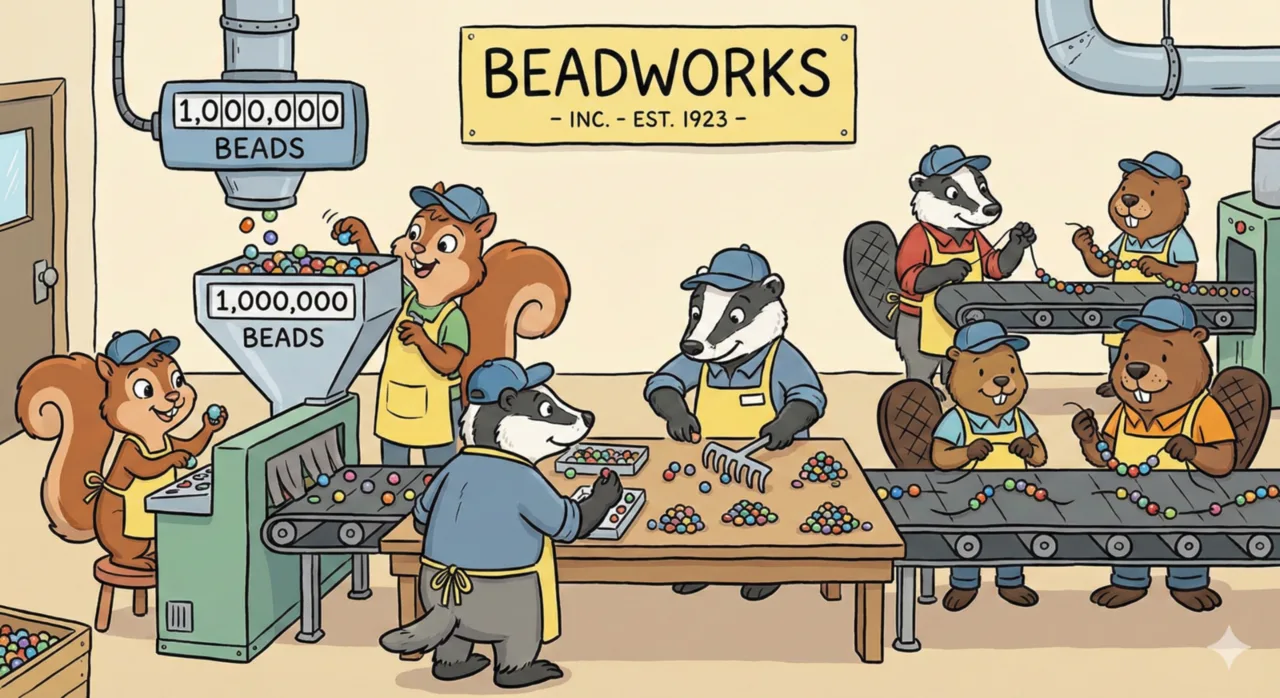
Using Beads to supercharge my workflow
Beads is a real game-changer for me. It’s such a simple tool, but I’m surprised the mainstream hasn’t caught on yet since it makes building with multiple agents so much easier to manage. I’ve been using Beads for several weeks now as my key way to organize myself when it comes to AI-assisted development. I haven’t seen that many articles out there of people sharing their experience and the usefulness of using Beads. So I definitely knew I had to write about it and share my own experience. Hopefully others give it a try.
A quick tl;dr: Beads is a lightweight issue tracker that you and your AI agents use to build software, or really anything that an LLM can do! It beats the crap out of using just a markdown plan, and makes tracking work across one or multiple agents more effective.
What is Beads?
Beads is designed for use with agents, otherwise it’s just a CLI-based issue tracker. The way agents use beads so effectively is because it’s all a CLI-based tool that’s simple enough to explain in your coding agent’s AGENTS.md or a startup hook. It installs itself into your repo and everything is tracked within git, so it’s basically impossible to lose anything. Think of it as your swarm of agent’s working memory for what to work on next.
Beads provides primitives like issue types (epic, task, bug, chore, etc.), a way to encode the dependencies between tasks (A -> B -> C, D -> C), and fields for title, description, assignee, tags, etc. The key with beads is not directly using its CLI yourself. Instead, you talk to your agent which then runs the proper beads commands to create issues, tell you the status of epics, etc.
Then the important part: when your agents are hungry for work, you just tell them to work on the next available beads issue, and let it chug away. The agent automatically figures out what’s available to work on, claims the issue for itself so others don’t also start working on it, then builds away until it’s done. When it’s about to stop, it marks the beads issue as complete. There you have it - this is the separation of the planning from the execution.
Better than markdown plans
Markdown plans are great, but Beads takes them and makes building whatever is planned even better. It accomplishes this by making plans stateful, traceable, and usable by multiple agents over time instead of just one working away at the single plan. Sure, markdown plans can be updated and the state of the work can be tracked over time, but LLMs are notorious for lying and cheating and not completing everything you want out of them.
The key point of this post is supercharging your markdown plans by putting them into beads. It’s a way for one or many agents to much more easily and successfully build the right thing with the right quality, reducing hallucinations and slop. It’s as simple as telling your agent to take the plan and put it into beads as an epic with subtasks. Putting this all into beads allows each agent to focus on just the work they need. More up-front planning is possible by putting more context into the epic and its subtasks. In the example below I go into iterating on the epic while it’s in beads - you can push up the complexity that agents face with limited context into this planning phase by pushing as much context as you want into each individual beads issue. And the best part with that is, you just literally prompt another agent to add more detail to that epic’s issues!
Impact on agents and humans
There are benefits for both agents and humans when it comes to using beads.
For agents
Beads provides agents a way to work on the next unblocked task since it takes dependencies into account. Your AGENTS.md, a rules file, or hook will contain some instructions for how your agent should use Beads, therefore it knows the exact beads commands to run to claim an issue and get its relevant context. This allows your agent to focus on the one specific task, and do everything it’s instructed to do. Having agents work on a single, small piece of the work helps prevent an agent working on too much at once, which often means slower, larger context windows.
For humans
Humans don’t, and shouldn’t actually need to use the Beads CLI directly - just ask the agent to create tasks, epics, show tasks, get the status of some work, etc. It’s way easier to not lose your work since everything is always automatically saved to git. All these markdown plans can clutter up your repo if you’re checking them in, but Beads stores its state in git either on your main branch or even better, a designated sync branch. It’s quite easy to see the progress of items through either the CLI or one of the web UIs. I personally use the npm package beads-ui to visualize and read new and in progress work. Beads doesn’t change the way you use branches, commit, or create PRs - that workflow is all still up to you.

My workflow
Here are two of my primary workflows that I use day to day at work and on my personal projects. The bugfixing workflow is a lot quicker and simpler since it doesn’t involve a whole bunch of planning, and is really just one-shotting fixes. The feature development one does a whole lot of planning and shows the real strength of beads.
For bugfixing
When I find a bug, I tell my agent to file a new issue with just enough context about the problem: file a bd issue for: tickets page, tags filter doesn't prepopulate available tags. The agent then goes on and creates an issue for it in beads, responding with details about the issue it created.

I often check the Beads issue right there in the agent output or Bead’s web UI to see if it went and added any extra context for the description. Sometimes I immediately call my slash command for adding more context: /refine-bd which expands to the following prompt: refine this bd issue or epic to verify that this is the best way to implement this and integrates well into the codebase. Make sure each task has all the detail necessary for an AI coding agent to properly implement this task at a later time. If anything gets too complex or large, split it into smaller issues. make sure the dependencies between other tasks make sense.
Then I can either save it for later or I get another agent to go and work on it. In a fresh agent I say work on bd issue m-dy4 or whatever issue ID beads automatically gave it. After it’s finished I check the agent’s output to see how well the agent solved the issue, whether the solution was in the right spot, and manually confirm it’s definitely fixed (most of the time). Then I tell it to commit.
For feature development
For any new feature I basically follow this flow: I ask my agent to come up with the plan, for example: Create a plan for adding the ability to have more support agent permission levels. regular agent: ..., team lead: ..., etc. I read the markdown plan it gives me to check its approach. I don’t really care about what steps it implements it in, really just the architecture, UI, data, and any other concerns relevant to the feature. I ask it clarifying and investigative questions to figure out if it’s the right approach and if there’s other alternatives. This often makes me confident enough that the plan is sound and uses the best design.
Once I’m happy with the plan I have another slash command that takes a plan and converts it into a beads epic with multiple subtasks. This step bridges the well designed feature into the beads issue tracker. The /plan-to-bd command I use here expands to: turn this into a beads epic. create issues and subissues that best represent the chunks of work to complete. include lots of detail for each issue. That command then chugs away taking every detail, consideration, and step in the plan and creates an epic with multiple tasks for it.
Initially the epic and its tasks still don’t have enough detail, maybe a few sentences and mentions of function names, but not much. We can do way better, and in doing so, the agents that build this later on have a much higher chance of success and issue-free code. We can basically go crazy and cram everything the agent would need in there: exact code to add, lines to change, stuff to import, tests to write, things to know, things to ignore, etc. There could also be some tasks that are too big and should be broken down into smaller chunks, which makes the agents work easier and cheaper if its context window isn’t blowing up by reading and writing a ton of code. There’s also interdependencies that the tasks have with each other within the epic that the markdown plan probably didn’t do that great of a job capturing. This prompt pumps so much context into all of the tasks. It’s my favourite step in this entire article. I run the /refine-bd slash command 2-4 times, since a single iteration often doesn’t break things down all at once, add enough detail, or map out all interdependencies. Here’s that prompt: refine this bd issue or epic to verify that this is the best way to implement this and integrates well into the codebase. Make sure each task has all the detail necessary for an AI coding agent to properly implement this task at a later time. If anything gets too complex or large, split it into smaller issues. make sure the dependencies between other tasks make sense.
After a few loops of running /refine-bd, we have a very detailed epic with many detailed subtasks, all in the proper order of implementation. This is the key to making hundreds or thousands of lines of code changes accurately since each agent has its small scope of work to do, and what matters most for its part of the work. This prevents it from having to guess what code it needs to write by going back and looking at the plan, and just making up shit while hallucinating what it should do to finish its job. Having everything detailed in the task makes it clear to the agent what exactly needs to be done so that it stops when needed. You can even give these builder agents the Sonnet-level of coding agent instead of the smartest Opus-level ones because of this.
Then here’s the best part. I checkout a branch, start up a fresh agent, and ask it to work on the next available bd task for epic m-onc. After completing the task, commit and stop. That’s also the /work slash command. It chugs away doing all the work and commits when it’s done. I don’t even check what it’s written. All I know is that one of the tasks of the epic was claimed and completed.
Next up, in the same session, /work-post checks that it was implemented according to the task and that nothing else was missed. If it finds any bugs or edge cases that weren’t considered, it files new Bead issues for it: anything else part of that still left to do? make sure the work was committed. notice anything that should be updated in the beads issues part of this epic or in general? Add or update it to a bd issue so that the work isn't lost and can be done later. reference the epic if the work is part of it
I’ve scripted a loop so that this builder agent does its work for a configurable number of iterations so that I’m not having to go back to the same agent and clear it then startup a new loop. As this loop runs I check out the issues it creates as it’s building and decide which ones are valid vs ones that I’ll just close since they’re not important enough. Oftentimes there’s real edge cases or bugs it finds in the related code it’s modifying, or duplication that should be avoided. The stuff that doesn’t really matter is small code duplication, and stuff about better logging or comments, for example.

work command streamlines the entire process, allowing agents to focus and automatically tackle the next available task in Beads. This hands-off loop is a game-changer for effortless, continuous progress.
After the entire epic is completed and all the followup issues are tackled too, I often fire up my dev server to test out the new feature. As that’s going, in a new agent I also run the following code review slash command to find more bugs or potential issues. The /review command expands to: review the code modified in this branch. look for any bugs, redundant code, or obvious overcomplication. file beads issues for anything that comes up. call out if the newly found issue already existed or was introduced in this branch. I use a stronger LLM for this like Opus or GPT-5.2 to really churn away and inspect the code. This prompt ends up calling a lot of git commands and reads a lot of files to inspect everything. This agent often finds a few things, and running it again in a clean context can dig up more.
As I’m manually testing it I file Beads issues as I find them in the same way as above, and review those that the /review command found. I run that work loop again until all of those tasks are completed and manually verify everything is working as expected.
When I’m happy with how things are - manual testing passed, no bugs being found, no more tasks to review or work on - I push it up and create a PR. As a PR, this is the first time I actually look at the code. I generally skim over it all and verify it’s not doing anything insane with data access, no messy spots, and the critical parts are safe. Then merge that sucker!
The power of this workflow
This workflow allows me to quickly and accurately build out new features and fix bugs much faster than just using Cursor’s IDE or multiple cursor-agents manually. The speedup gained when using Beads is massive, where I can highly rely on the resulting code since there’s already been many quality checks performed on it.
I was explaining my workflow to a buddy who regularly uses Claude Code the other day and the best way I could explain my pivot from driving multiple coding agents at the same time to this Beads-powered stand back and go wild way is because I spend more effort at the beginning and end stages of the development process.
With directly driving coding agents, a lot of effort goes into the middle stage, where you watch over all the changes it’s making, telling it what to do next, asking it questions as it goes, committing, and really just doing what feels right - like how you would work without AI writing your code in the first place. The agent is speeding up your non-agentic way code is written.
This new method with Beads puts more effort into the beginning stage to plan out what you’re trying to do, and make sure it’s the right design. The middle stage takes no real effort at all since it’s just getting the agents to loop through all tasks and build it. The end takes a similar amount of effort compared to the beginning since there’s all that manual testing, sorting through Beads issues the agents have raised, and the usual push up changes and opening of a PR.
Now go get it
In the end, leaning into agents to help you speed up planning and investigating the right approach with Beads being the context engine that your agents are driven from is such a powerful workflow. Now only if these plans can be created faster or these manual workflows I have can be automated more 🤔 Well, there are several scripts I’ve made that wrap these very common slash commands plus iterating several times (see the next section) that has helped a lot, and can go even further. There’s also this crazy orchestrator (a tool to further abstract away what is to be done from the agents that do the actual work) called Gastown I just tried out. I ended up burning through $100 from its own bugs. Oh well, that’s alpha, alpha software for you.
Extras
My own scripts to automate a bunch of the tediousness
It almost goes without saying, but by automating these tedious workflows so much time is saved, and the science of this becomes engineering prompts that encode the right software development practices and specifics for the codebases you’re working on. Aka. what do you actually care about, and don’t want to have to fix later or guide the agent to do manually.
I’ve written a quick and dirty shell script that wraps cursor-agent to do a lot of the tedious steps such as the work loop I mentioned in the feature development section. That really just runs two prompts back to back in the same session then creates a new session and does it all again on the next piece of work. I’ve also adapted this to the earlier mentioned review and refine-bd prompts since those are also useful to run in loops.
Any of these scripts can take in a Bead issue or epic, and that enriches the prompt to focus solely on that work. It’s not really advanced, just a bunch of prompts shoved together with some workflow logic. I spiced it up with the ability to stream the realtime outputs of the agent to the console instead of them buffering and outputting its output all at once. The markdown output of the agent is even properly rendered to look like rich text.
As I was testing out the Gastown orchestrator for the first time I had it build a Golang port of these scripts. Some Gastown bugs prevented me from putting the final touches on it before writing this post. Gastown will probably remove my need for my own scripts, but the process of using my own tools and improving the prompts as I go is still invaluable since those will continue to be used and is a necessary skill to drive these agentic coders.
Things that I want to improve in this workflow
Being able to use multiple git worktrees would be killer. At work we prefer using PRs for shipping all of our work, so working on multiple things at once on the same branch is tough if one thing is a feature and another thing is a completely random bugfix. Hopefully there’s an easy script I can come up with that allows me to quickly set up these worktrees, get in there with an agent or two, and run a dev server from any one of them. I feel like that’s currently blocking me the most. Gastown looks to have smoothed over working on multiple pieces of work via git worktrees, but knowing how this stuff is done myself helps with my own mental model of git.
A better way to sort through all of the issues agents create would be great too. Currently they’re all added to the relevant epic, which is good, but often the work loop can quickly pick those up and work on them without me being able to validate if they’re a concern or not. Most of the time it’s fine, I can drop the commit if I don’t want it. Potentially using Bead’s assignee field or priority: backlog would signal that these are agent-created ones for me to sort through and not for the agent to work on. Gotta go try that out. The great thing is this is likely just a sentence or two added to the work prompts!
Similar to the last one, improving my /work-post and /review prompts to take a page from the claude-code plugins can help make it even more accurate and effective. Adding in some of the code review wording and ranking the confidence of how accurate an issue is on a numerical scale would give me more info when reviewing the issues it files. That way critical bugs have a higher priority, and smaller stuff like small bugs, code duplications and comments get a lower score.